mirror of
https://github.com/hazemKrimi/discord-bot.git
synced 2026-08-30 13:49:35 +00:00
 dependabot[bot]
6fcdf7d828
dependabot[bot]
6fcdf7d828
Bumps [node-fetch](https://github.com/node-fetch/node-fetch) from 2.6.1 to 2.6.7.
- [Release notes](https://github.com/node-fetch/node-fetch/releases)
- [Commits](https://github.com/node-fetch/node-fetch/compare/v2.6.1...v2.6.7)

---
updated-dependencies:
- dependency-name: node-fetch
  dependency-type: indirect
...

Signed-off-by: dependabot[bot] <support@github.com>
Discord Bot
A bot that plays audio tracks from facebook, youtube and podcast websites
Development
For development on Windows you need the following node modules installed globally:
- node-gyp
npm install -g node-gyp
- node-pre-gyp
npm install -g node-pre-gyp
- patch-package
npm install -g patch-package
- windows-build-tools
npm install --global --production --vs2015 --add-python-to-path windows-build-tools
Deployment to Heroku
-
Create an app in Discord Developers Portal
-
Fork this repository
-
Create an app on Heroku
-
Connect the app with your forked repository
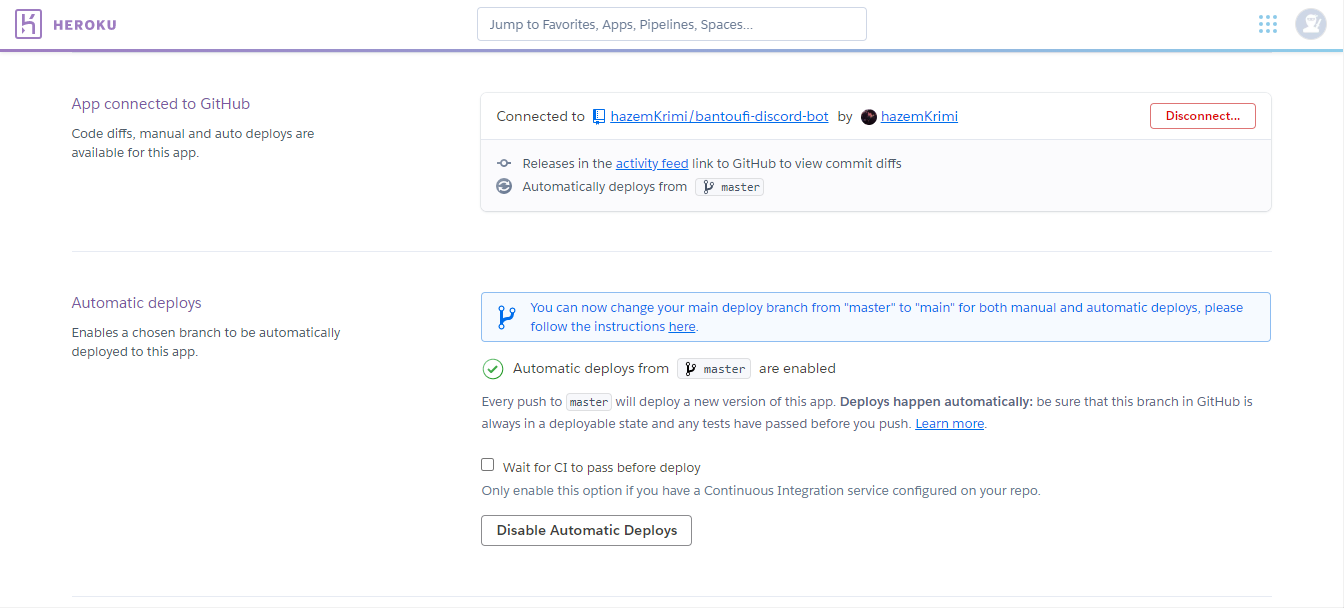
-
Add these buildpacks: Ffmpeg buildpack and Puppeteer buildpack
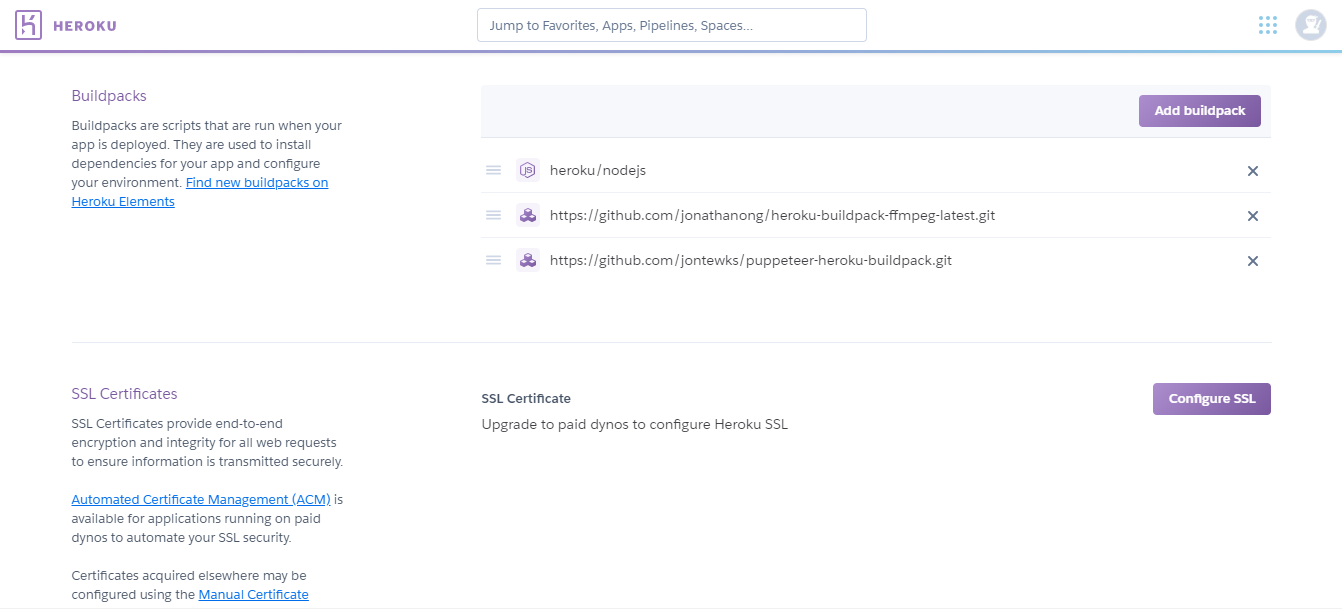
-
Configure the environment variables (YouTube API, Bot Token, Owner Id)
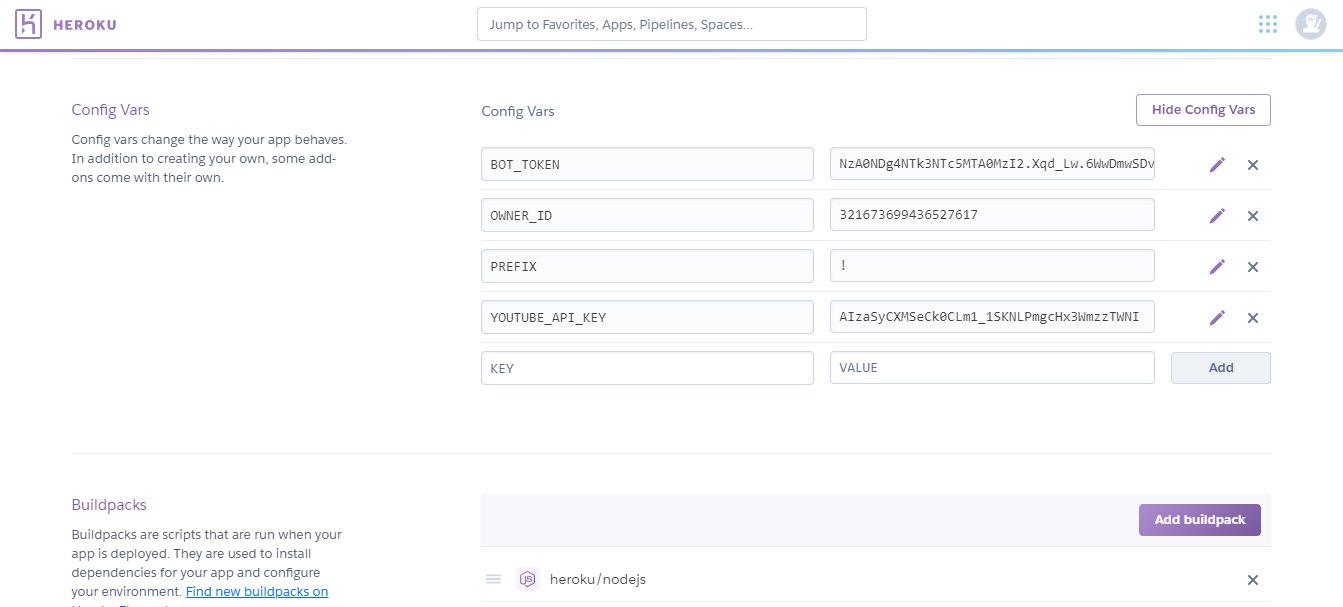
- Owner Id is your Discord account id (get it here)
- Bot Token is the token of the bot in your discord application
- YouTube API is the key that enables the bot to get YouTube videos, to get it create a project in Google Developers Console then generate the key
-
Deploy
-
Get the bot invite link with its permissions
- Get the bot permissions
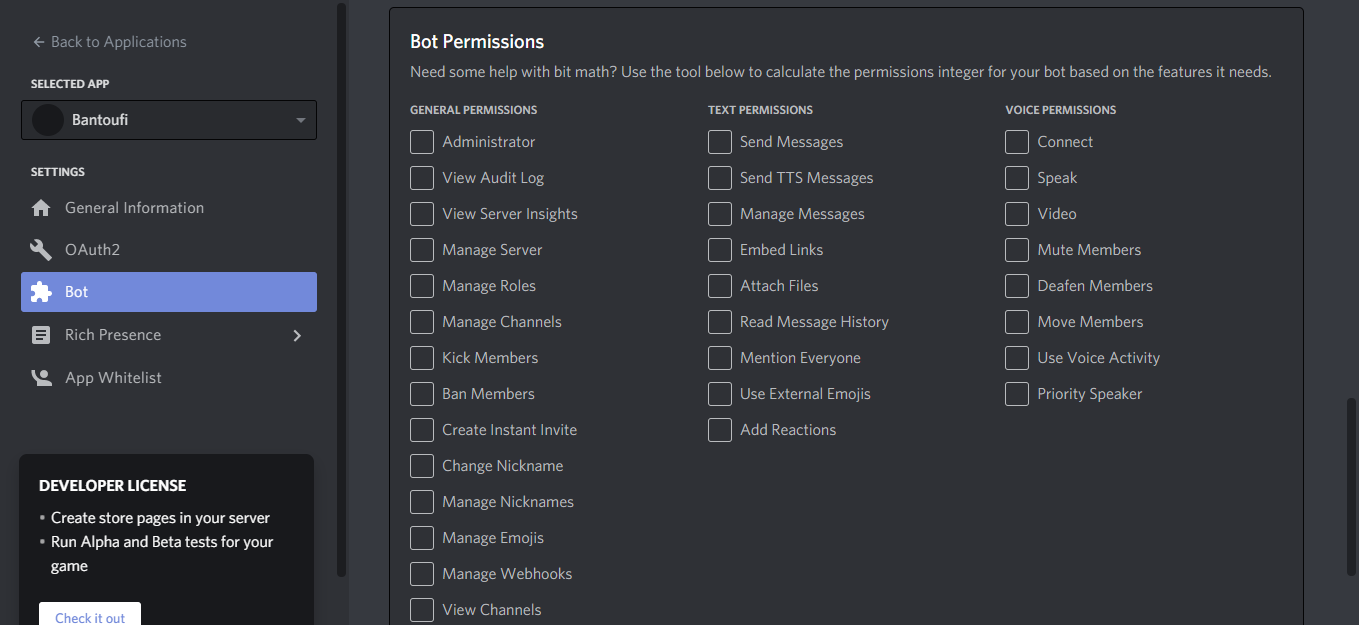
- Get the invite link to your server
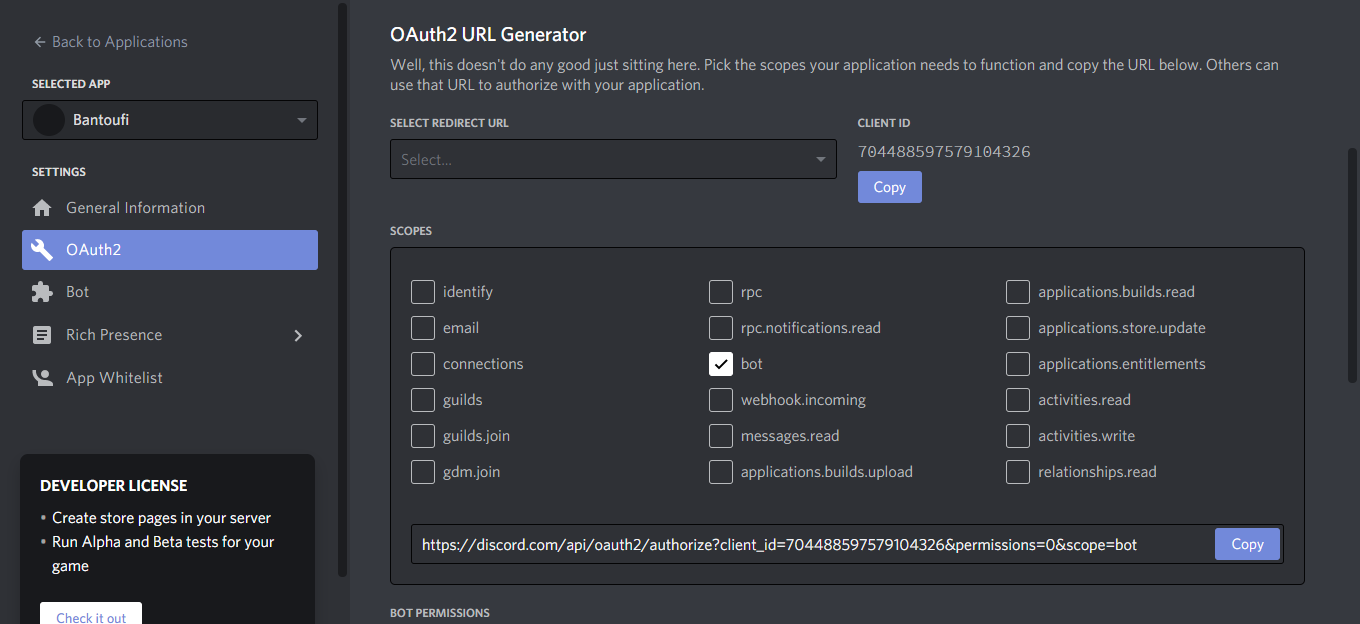
- Get the bot permissions


Check this video for a detailed guide